In short
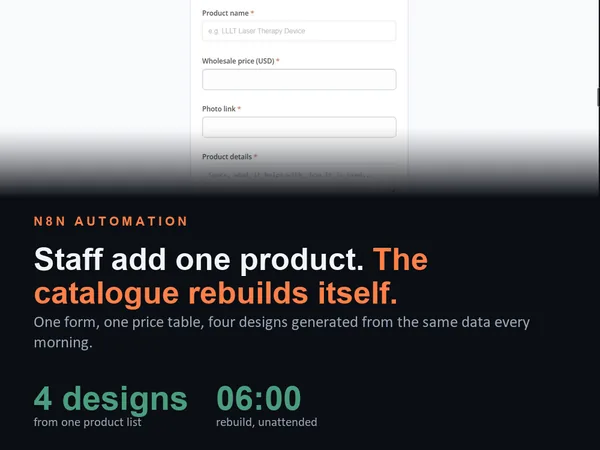
A wholesale distributor of pain relief and recovery devices was maintaining its trade catalogue by hand, rebuilding a flipbook every time a price moved or a product launched. This n8n build turns the product list into the catalogue. Staff add a product through a form, AI writes that product's page in the catalogue's own style, and the whole document regenerates every morning: category pages, feature pages for the big-ticket devices, a price list and an ordering page. The same product data renders into four different designs, and wholesale pricing is kept strictly separate from retail.
Project description
A trade catalogue is a document that goes stale the moment it is printed. This distributor was rebuilding theirs by hand in a flipbook tool every time a wholesale price changed or a product launched, which meant new stock sat uncatalogued for weeks. The build replaces the document with a pipeline: the product list is the source of truth, staff add products through a simple form, and the catalogue regenerates itself every morning with no designer and no developer involved.
Tools & Deliverables
- n8n builder workflow that generates the full catalogue: cover, contents, category pages, feature pages for high-value devices, a wholesale price list and an ordering page
- Staff intake form built in n8n: product name, wholesale price, photo, details, and whether to show it in the catalogue
- AI page writing that produces each product's copy in the catalogue's existing voice rather than generic marketing text
- Two data tables, one for the wholesale price list and one for the generated catalogue pages, keyed so a product can be updated rather than duplicated
- Daily scheduled rebuild at 06:00 plus a manual trigger, so a price change is reflected without anyone asking for it
- Four complete design templates rendered from the same product data, and a live catalogue link that replaces the previous flipbook
The problem
- The catalogue was a document, not a system. Every price change meant rebuilding pages by hand in a flipbook tool, so the published catalogue was always slightly wrong and nobody trusted it.
- New products arrived faster than the catalogue could absorb them. Stock that was already selling had no page, no price line and no entry in the contents for weeks at a time.
- Wholesale and retail must never mix. Trade buyers see wholesale pricing, the public sees retail, and a single leaked retail price in a trade document undermines every reseller relationship.
- Design mattered more than expected. The first version was rejected as not eye catching. A catalogue that buyers do not want to open is not a working catalogue, however correct the data is.
- The team are not designers or developers. Anything requiring layout skills or a workflow edit would mean the system stopped being used the moment the project ended.
- The retail website could not drive the lineup. What is on the shop is not what is in the trade catalogue, so the catalogue needed its own product list rather than a scrape of the storefront.
Approach
The product list became the source of truth, and the catalogue became an output of it. Two data tables sit behind the build, one holding the wholesale price list and one holding the generated pages, keyed so that a product already in the catalogue is updated rather than duplicated when its details change. Nothing is scraped from the retail storefront, because the trade lineup and the retail lineup are deliberately different, and conflating them is how retail pricing ends up in front of trade buyers.
Staff interact with exactly one thing: a form. Product name, wholesale price, a photo link, the details, and a yes or no on whether it appears in the catalogue. Submitting it writes the product to the price list and triggers the page build, where the AI step writes that product's page in the catalogue's established voice, with the bold-lead bullets, spec box and headline structure the rest of the document uses. The generator then assembles the whole publication around it: cover, contents with page numbers, category pages, feature pages for the expensive devices that deserve a full spread, the price list and the ordering page. A scheduled run at six in the morning rebuilds everything daily, so a price edited at four in the afternoon is live in the catalogue the next working day with nobody touching the document.
Solution
Adding a product now takes about a minute, and the result is a complete page rather than a row in a spreadsheet. The run shown in the walkthrough adds a laser therapy device through the form, and by the time the catalogue reloads the product has its own written page, an entry in the contents under the right category, and a line in the wholesale price list with its page number. No layout work, no copywriting, no rebuild.
The practical outcome is that the catalogue stops being a project. It has a live link that replaces the old flipbook, it exports as a PDF for buyers who want to download or print it, and it refreshes every morning whether or not anyone remembers to maintain it. Because the generator reads a template argument, the same product data renders into completely different designs, which turned a subjective argument about visual style into a choice between four finished options rather than another round of revisions.
Four designs from one data set
Design feedback is the part of catalogue work that usually burns the budget, because it arrives as taste rather than specification. Separating the data from the rendering made that cheap to resolve: the product list, prices and generated copy stay identical, and only the template changes.
Four complete designs were produced from the same data:
- Navy classic. Category header bands, two products per page, strong call to order buttons. The closest to a traditional trade catalogue.
- Cream editorial. Warmer palette and serif typography, laid out more like a magazine feature than a price list.
- Dark contrast. Dark pages with accent colour, built for light therapy and device photography that reads better against black.
- Brand pastel. Built from the client's own brand palette for a lighter, more open feel.
Because the renderer takes the template as an argument, adding a fifth design later is a styling job rather than a rebuild, and switching the live catalogue between them does not touch the product data at all.
What the team runs without a developer
The handover test for this kind of build is simple: can the people who own the catalogue change it on a Tuesday afternoon without calling anyone. Everything below is theirs:
- Add a product. The form, which writes to the price list and triggers the page build.
- Change a price. Edit the price table and the next rebuild carries it through to the price list page and every product page.
- Take a product off the trade list. The show-in-catalogue field, with no deletion and no lost history.
- Reorder or recategorise. Category assignment lives with the product, not in the layout.
- Choose the look. Switch template without touching the data.
- Force a rebuild. A manual trigger alongside the daily schedule, for when something must go out now.
The things that deliberately stay technical are the AI prompt that defines the catalogue's voice and the page templates themselves, because those are where consistency lives and where ad hoc edits would do the most damage.
FAQ
Do we need a separate wholesale website for this?
No. The catalogue is generated as a hosted document with its own link, plus a downloadable PDF. A trade buyer opens a link, the same way they opened the old flipbook, without a second site to build and maintain.
How do new products get in?
Through a form. Name, wholesale price, photo, details, and whether to show it. The product goes into the price table and its page is written and inserted into the catalogue automatically.
How do you keep retail prices out of a trade catalogue?
By not sourcing from the retail storefront at all. The trade catalogue has its own product list with wholesale pricing, so there is no path for a retail price to appear in it.
Can we change the design later?
Yes, and that was built in deliberately. The renderer takes a template argument, so the same product data produces a different catalogue. Four designs exist already and a fifth is styling work rather than a rebuild.
What does it cost to run?
An n8n instance and a model key, both on the client's own accounts. The generation itself is one AI call per product page rather than per rebuild, so cost scales with how many products are added, not with how often the catalogue refreshes.
What I would add next
- Quantity break pricing. Trade catalogues frequently carry tiered pricing by case or pallet, which is a table change and a line in the page template rather than a new system.
- A custom page per product. A full spread for every product, not only the high-value devices, with a large photograph, headline, bold-lead bullets, price and a specification box.
- Stock and availability flags. Pulling a live stock signal so the catalogue can mark discontinued or back-order items rather than listing them as normal.
- Buyer-specific catalogues. The same generator producing a version per reseller tier, with that tier's pricing and nothing else visible.
- Change log for buyers. A short what changed this month page, generated by diffing the price table between runs, which is the page trade buyers actually read first.