In short
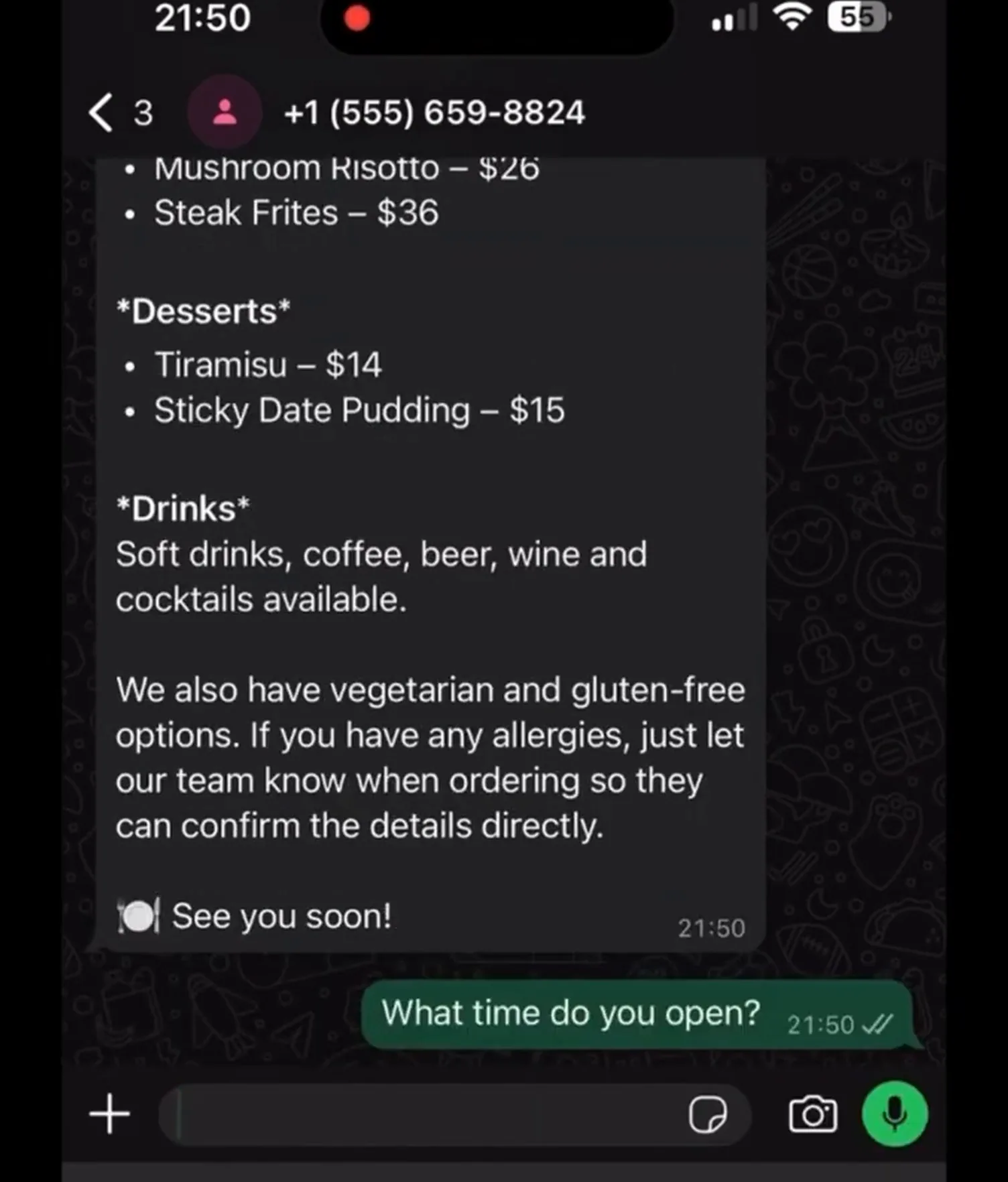
An n8n AI agent that answers a business's WhatsApp messages, including voice notes. Each message is checked first: text goes straight to the agent, voice notes are downloaded from WhatsApp and turned into text, and anything else gets a polite fallback reply. The agent answers from a business prompt that holds the menu, prices, hours and booking rules, and chat memory keeps each conversation in context. In the demo it is the virtual host for a restaurant, answering menu and opening-hours questions in seconds.
Project description
Customers message businesses on WhatsApp at all hours, and more and more of them send voice notes instead of typing. Most WhatsApp bots only handle text, so a voice note waits until someone has time to listen to it. This n8n workflow answers both. It sits on the WhatsApp Business number, works out what kind of message arrived, turns voice into text, and replies through an AI agent that knows the business and remembers the conversation.
Tools & Deliverables
- WhatsApp trigger on the business number through the official WhatsApp Cloud API
- Switch node that routes every message as text, audio or unsupported, with a polite reply for formats it cannot handle
- Voice note path: media URL lookup, audio download and conversion to text before the agent sees it
- AI agent with a business prompt covering the menu, prices, opening hours, booking rules and tone
- Chat memory per customer, so follow-up questions are answered in context
- Replies sent back on WhatsApp within seconds, whether the customer typed or spoke
The problem
- Voice notes go unanswered. Many customers would rather speak than type, and a text-only bot simply ignores them.
- Questions arrive outside opening hours. Menu, hours and booking questions come in late at night, when nobody is free to reply.
- Generic bots sound generic. A reply that does not know the real menu, prices or booking policy sends the customer off to call anyway.
- No memory means repeated questions. Without context, a follow-up such as "and for tomorrow?" makes no sense to the bot.
Approach
The workflow starts on the WhatsApp Business number. A switch node looks at each incoming message and sends it down one of three paths: text, audio or unsupported. Text is normalised and passed straight to the agent. For audio, the workflow asks WhatsApp for the media URL, downloads the voice note and turns it into text, then normalises it into the same shape as a typed message, so the agent handles both the same way. Anything else, such as a sticker, gets a short reply asking for text or a voice note.
The agent's behaviour lives in its prompt rather than in the workflow. For the demo restaurant, the prompt holds the menu with prices, opening hours, takeaway, payment and dietary notes, and clear rules: collect name, date, time, number of guests and phone number for a booking, never say a booking is confirmed until the team confirms it, pass allergies, complaints and large groups to the team, and say so plainly when it does not know something. Simple memory per conversation lets the agent follow a thread without the customer repeating themselves.
Solution
Customers get an answer in seconds whether they type or send a voice note. In the demo, a customer asks for the menu and gets the starters, mains, desserts and drinks with prices, then asks what time the restaurant opens and gets the hours for each day, including when the kitchen closes. When they ask about a reservation, the booking rules in the prompt mean the agent collects details rather than promising a table.
Because the knowledge sits in the prompt, the owner changes prices, hours or policies by editing text, not the workflow. The same structure works for any business that takes questions on WhatsApp: clinics, salons, real estate agencies, online stores and service companies. The model is swappable too. This build runs on a Moonshot Kimi model, and OpenAI, Claude or Gemini drop into the same agent node.
FAQ
Can it really understand voice notes?
Yes. Voice notes are downloaded from WhatsApp and converted to text before the agent sees them, so a spoken question is answered like a typed one.
Does it use the official WhatsApp API?
Yes. It runs on the WhatsApp Cloud API through the business's own Meta account, not an unofficial workaround.
Can it take bookings?
In this build it collects the booking details and leaves confirmation to the team. Connecting a booking system or Google Calendar lets it confirm on its own.
How do we update prices or opening hours?
Edit the business prompt. The workflow itself does not change.
What happens with a message it cannot handle?
Unsupported formats get a polite reply asking for text or a voice note, and complaints, allergies or unclear requests are passed to the team.