In short
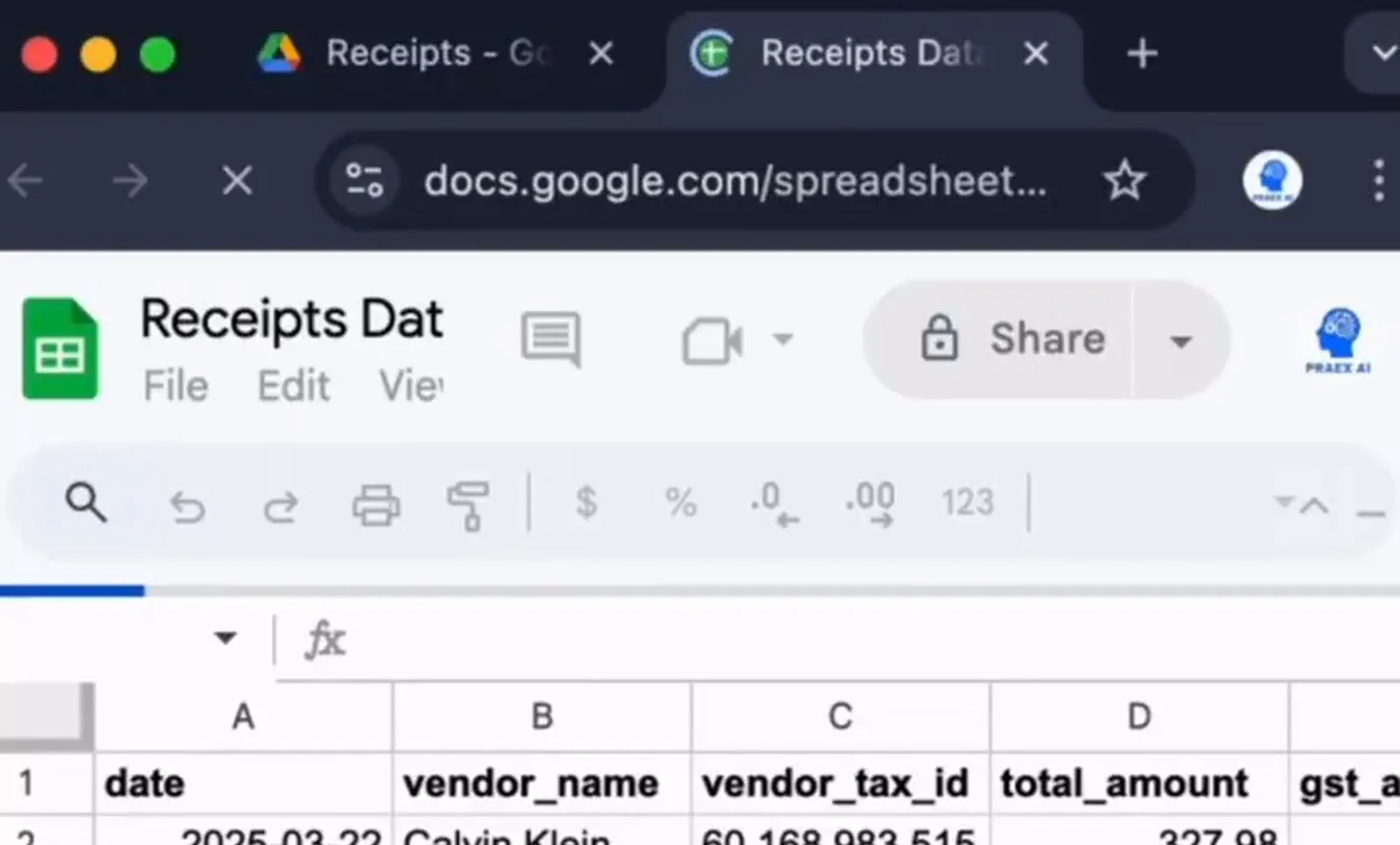
An n8n expense tracker that starts with a photo. Send a receipt to a Telegram bot and the workflow saves the image to Google Drive, reads it with Mistral OCR, and uses Gemini to pull out the date, store, tax number, total, tax amount and payment method. Each receipt becomes one row in Google Sheets with a link back to the original image, ready for bookkeeping, expense claims or tax time. Nothing is typed by hand, and the original receipt stays one click away from its row.
Project description
Receipts pile up in wallets, inboxes and camera rolls until someone has to type them into a spreadsheet at the end of the month. This n8n workflow does that typing the moment a receipt arrives. A photo sent to a Telegram bot is stored, read, understood and logged, and the spreadsheet row links straight back to the image it came from.
Tools & Deliverables
- Telegram trigger: send a receipt photo to a private bot from any phone
- Google Drive storage of every original image in a dedicated receipts folder
- Mistral OCR through its API: upload, signed URL and OCR request, returning the full receipt text
- Gemini information extractor with a fixed schema: date, vendor name, vendor tax ID, total, tax amount, payment method, expense category and a deductible flag
- Google Sheets append, one row per receipt, with a link to the original file
- Handles long receipts photographed in hand, not only flat scans
The problem
- Receipts get lost. Paper fades and gets thrown away long before it is needed for a claim or a tax return.
- Typing them in is tedious. Dates, totals, tax numbers and payment methods copied by hand take time and invite mistakes.
- Numbers without proof are weak. A spreadsheet total is hard to defend when the receipt behind it cannot be found.
- Plain OCR returns a wall of text. Raw text from a receipt still needs someone to find the total, the tax and the store name inside it.
Approach
The workflow splits the job into reading and understanding, because they are different problems. The Telegram trigger receives the photo and the workflow fetches the file, then uploads it to a Google Drive folder, so the original is stored before anything else happens. The image then goes to Mistral's OCR API in three calls: upload the image, get a signed URL, and request the OCR result, which comes back as the full text of the receipt.
Understanding happens next. An information extractor running on Gemini reads that text and fills a fixed set of fields: date, vendor name, vendor tax ID, total amount, tax amount, payment method, expense category and whether it is deductible. The fixed schema matters, because every row gets the same columns whatever the receipt looks like. The workflow then appends the row to Google Sheets with the Drive link to the original image in the last column.
Solution
In the demo, a long clothing-store receipt photographed in hand becomes a single row: the purchase date, the store name, its tax number, the total, the tax amount and the card type, with a link that opens the original photo in Google Drive. The whole process starts with one photo sent from a phone.
The spreadsheet becomes the expense log, and the Drive folder becomes the archive behind it. From there it is a short step to monthly totals by category, a currency conversion column, an alert when a receipt has no tax number, or an export to accounting software such as Xero or QuickBooks. For a team, everyone sends receipts to the same bot and the sheet records who submitted each one.
FAQ
Does it work with any receipt?
It reads printed receipts photographed on a phone, including long ones. Faded or handwritten receipts may need a quick check in the sheet.
Why use two AI steps?
Mistral OCR is good at reading text from images, and Gemini is good at understanding that text. Splitting them makes each step easier to check and replace.
Where are the receipt images kept?
In a Google Drive folder you own, and every row links to its image.
Can it categorise expenses?
Yes. The extractor has expense category and deductible fields, and the categories can be set to match your accounts.
Can it send the data to accounting software?
Yes. Xero, QuickBooks or any tool with an API can take the same fields, instead of or as well as Google Sheets.